
EMB1016 FW Flashing
1. Downloading and Setting-Up
(1) Download and install Jlink drivers and software from: § SEGGER – Downloads – J-Link / J-Trace
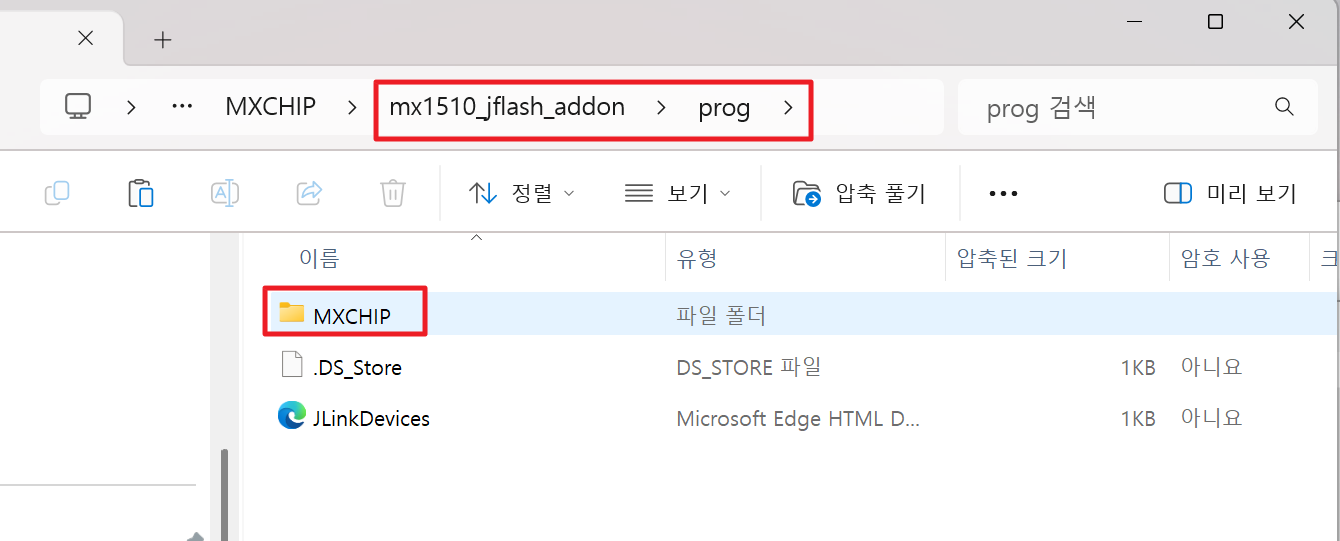
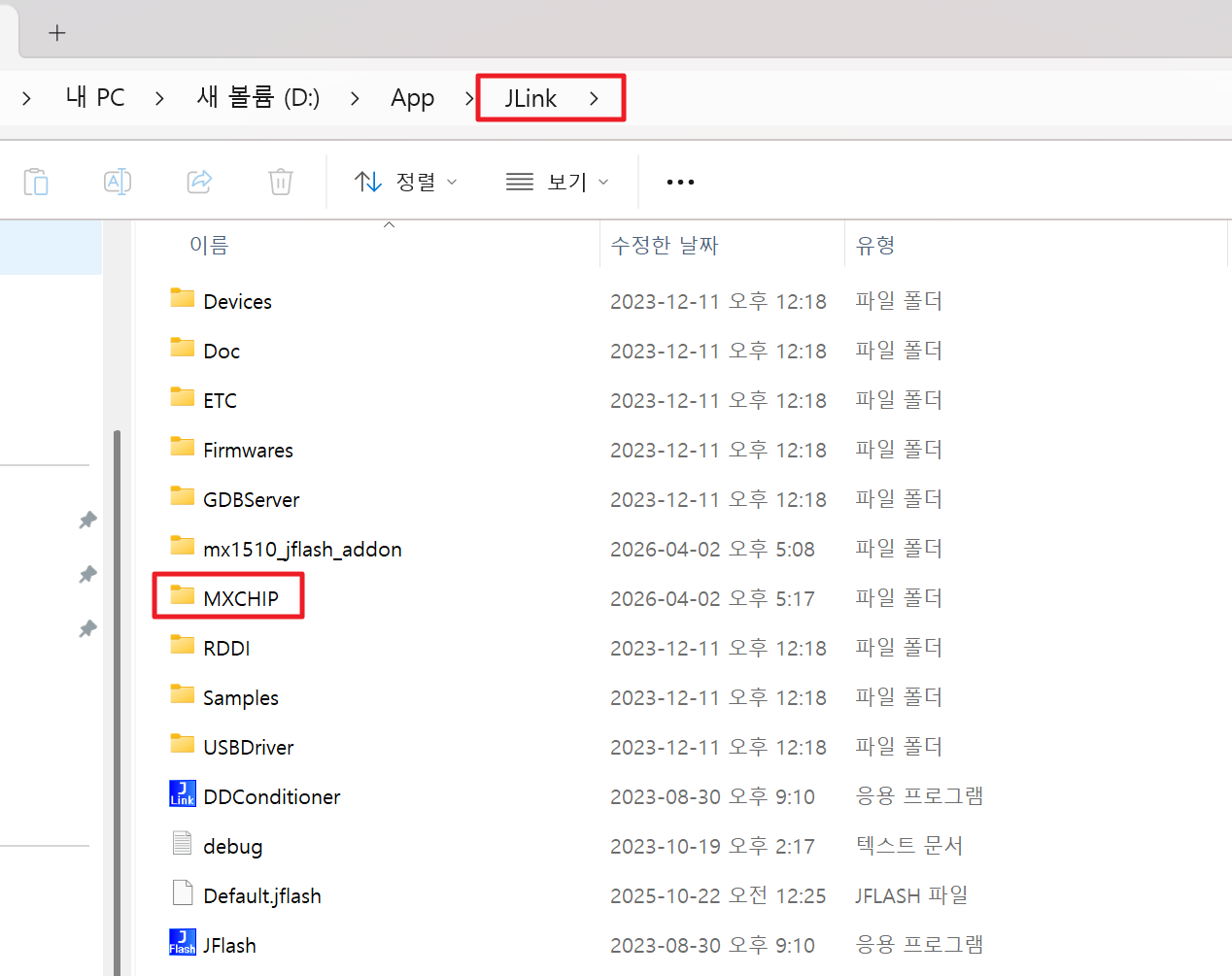
(2) Download and copy the MXCHIP folder to the installation directory of jflash: § mx1510_jflash_addon
 |
 |
||
| Copy | Paste to here |
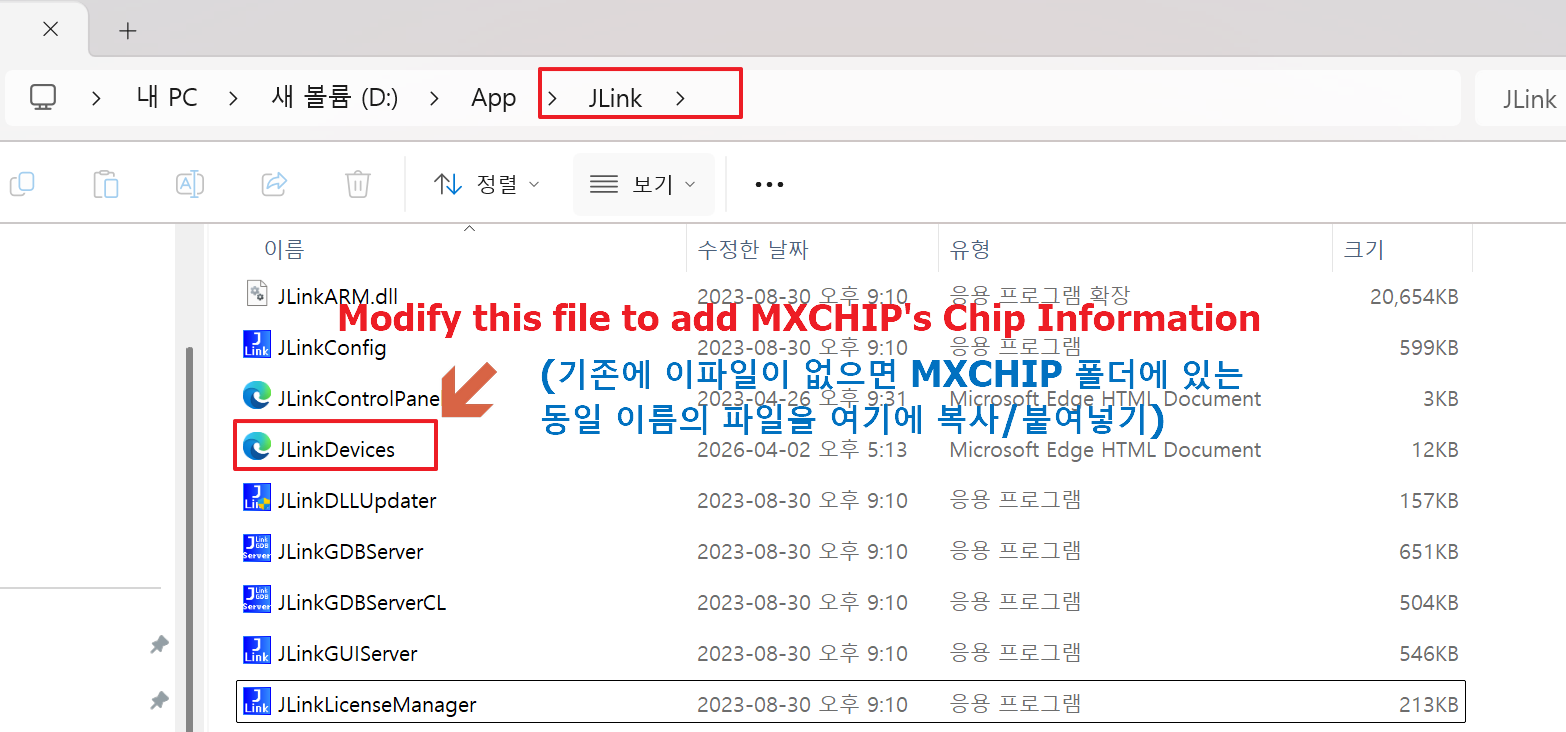
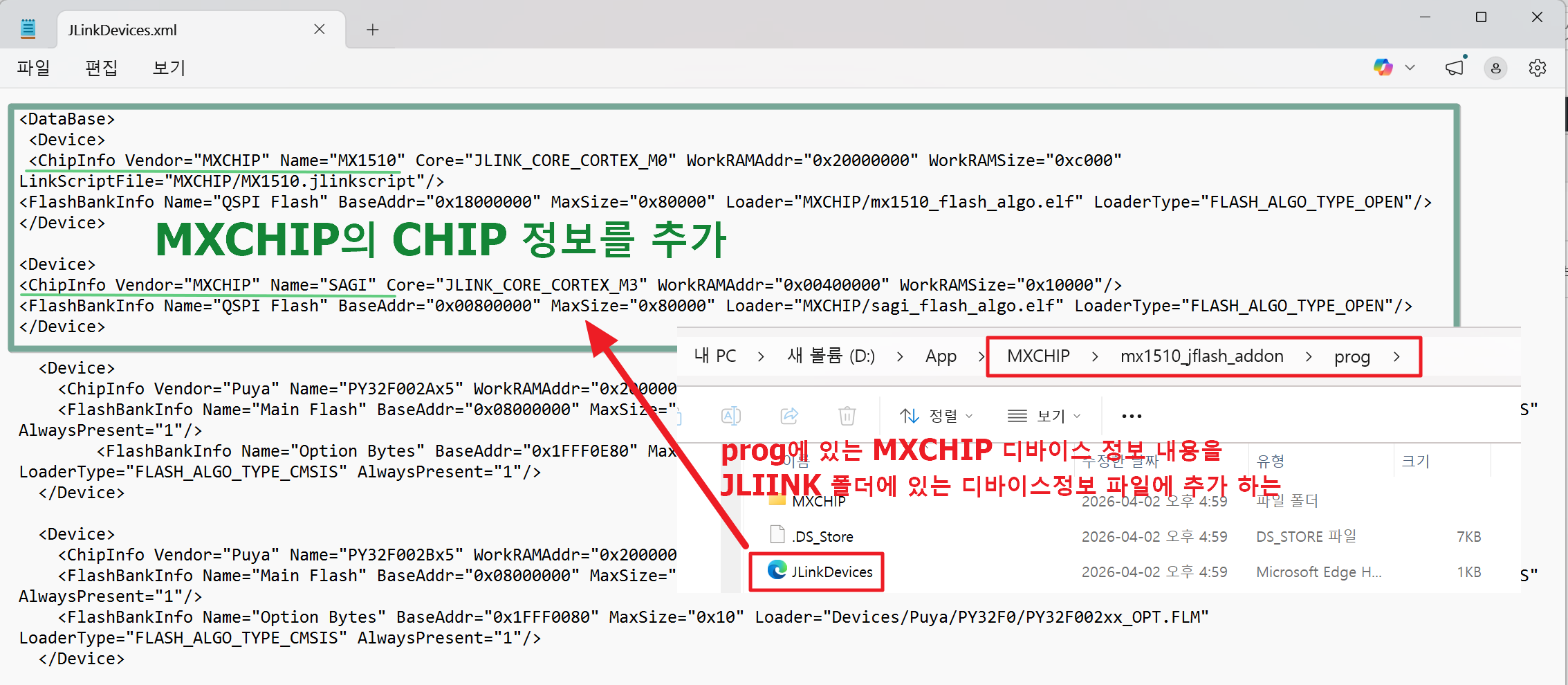
(3) Modify the JLinkDevices.xml file in the jflash directory and add two MXCHIP’s “Device” descriptions:
2. Flashing
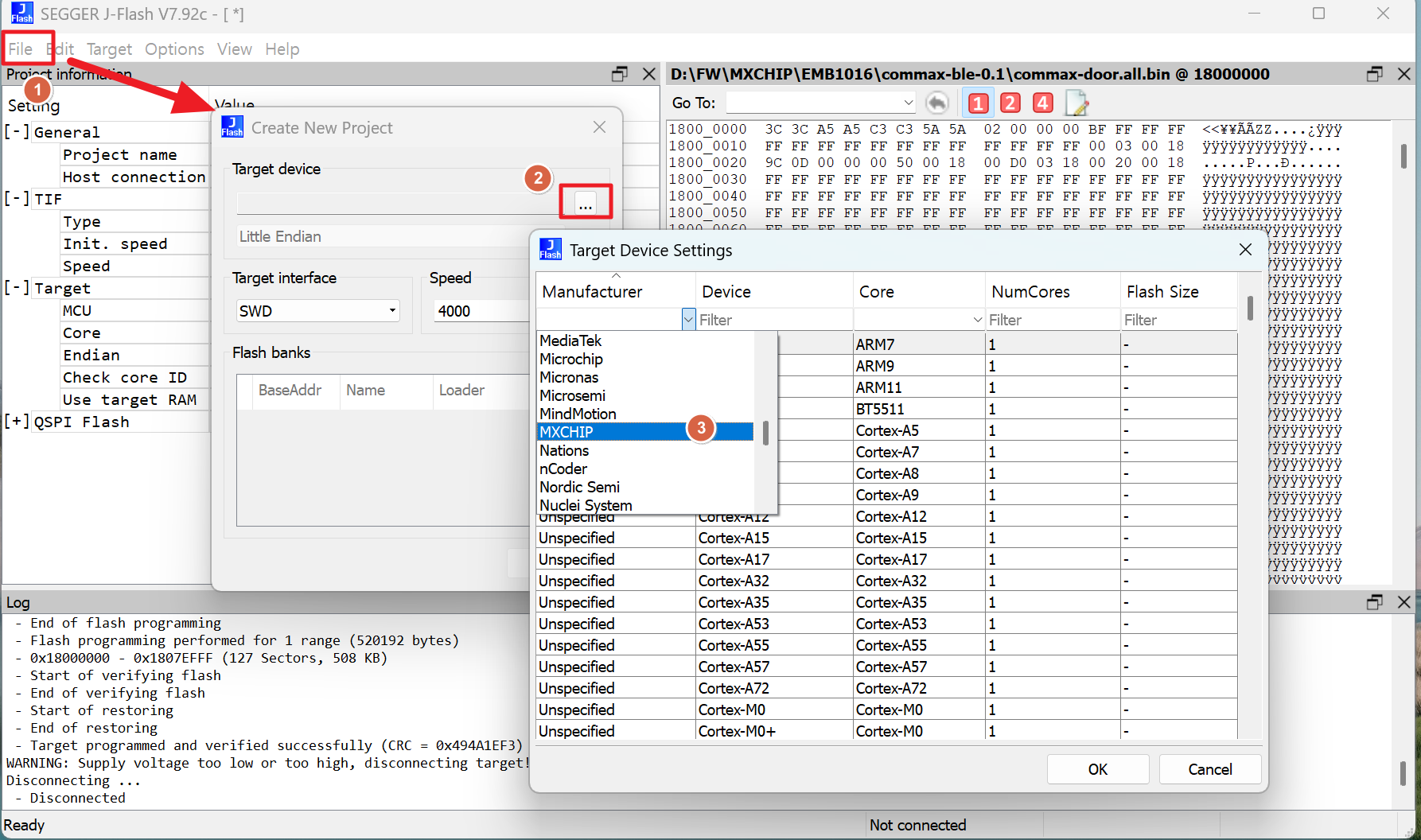
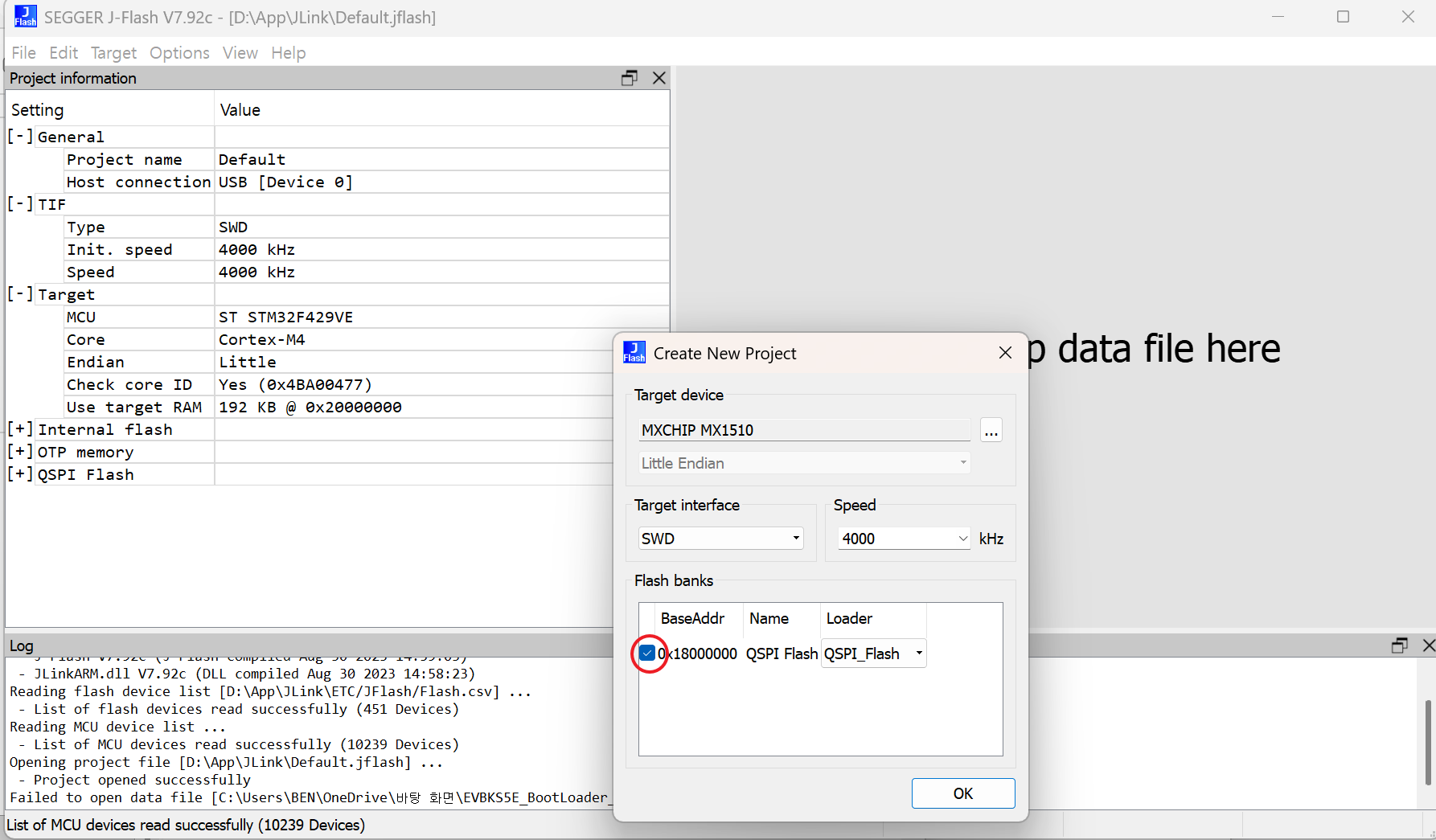
(1) Open JFlash, create a new project, and select MXCHIP → MX1510 chip
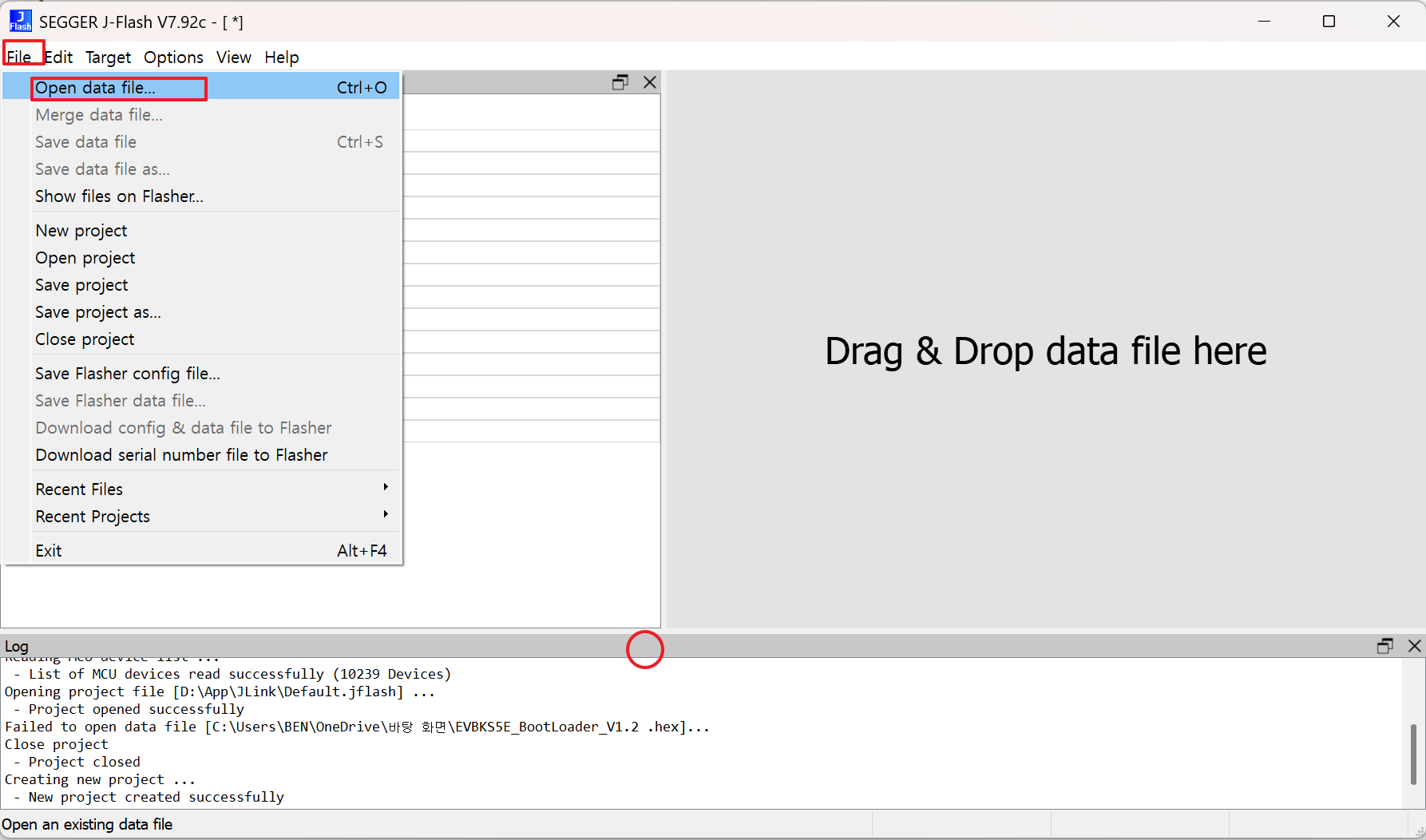
(2) Open FW, “[name].all.bin” from JFlash, and select the starting address 0x18000000.
(3) Use the SWD interface to connect to the Jlink emulator for download.

Radar Sensor SoC & Module

WiFi IoT Module

5G/LTE/CAT-M1/NB-IoT

WiSUN/HaLow/Thread Module
